gpty v0.8.2
v0.8.2 is the release daily use wrote. Closing a workspace or a pane is an explicit action on the thing itself - a trash that asks with an inline check/cross - instead of a footer button, and an empty workspace is a guide that teaches every registered shortcut. The shipped layouts are ordinary profiles you can delete or rename, every installed plugin profile has its own trash, and a first run can honestly hold zero workspaces and zero panes.
Under that, the fixes are the ones that made a working day slower: a workspace switch that cost about a second is 40 ms, an emptied workspace stays empty, a spawned pane takes the keyboard, a dialog cannot grow past the window, and typing into a streaming pane is no longer held at 10 Hz.
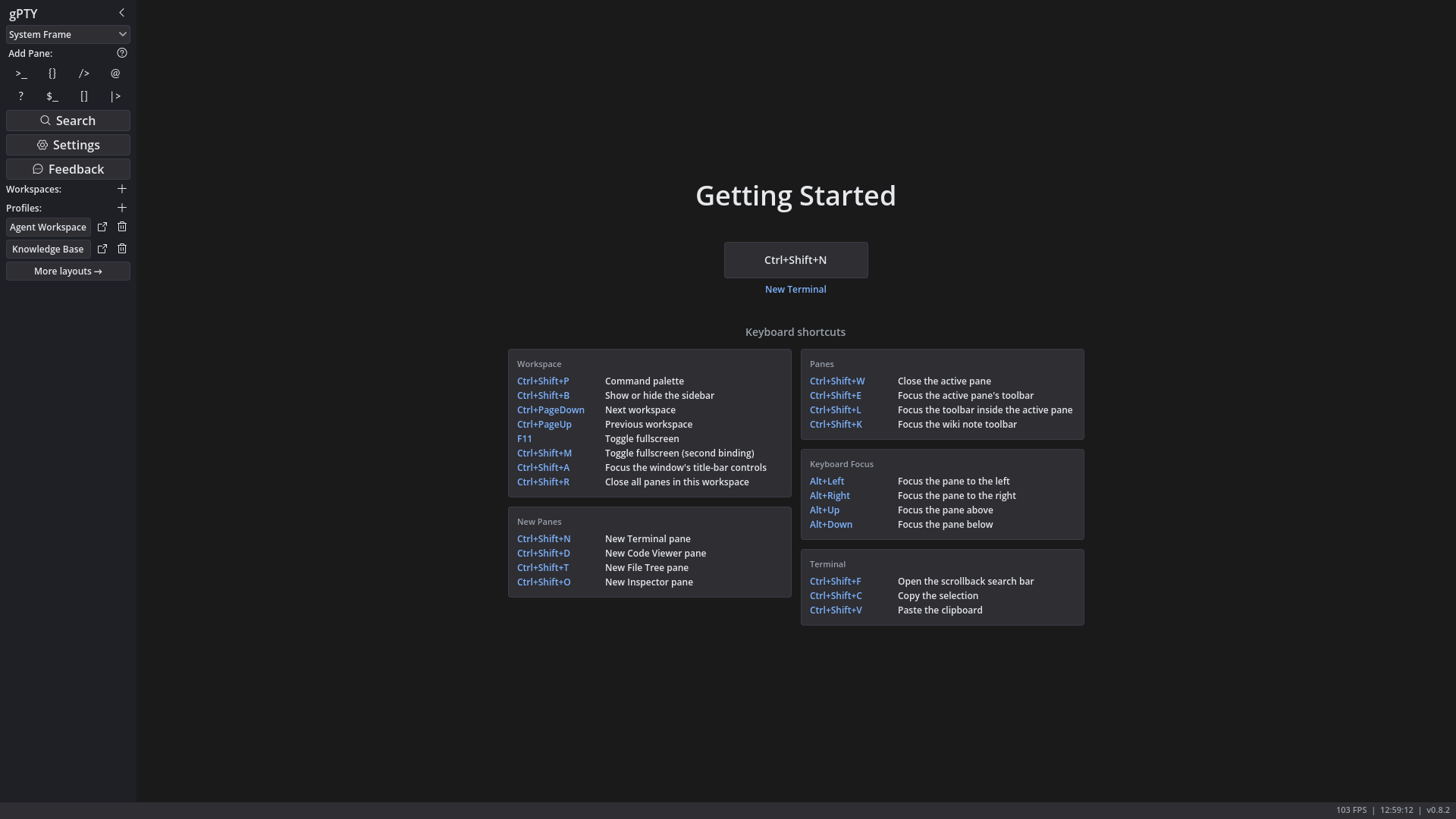
Closing is where the thing is. The sidebar’s footer Close All is gone. The Workspaces and Panes title rows and every workspace and pane row now swap their actions for an inline check and cross before running the existing running-work and unsaved-edit walk, so a discard is confirmed on the row it applies to. A workspace row’s folder button became a More menu with Set Directory (the current path is the tooltip) and Clear Workspace, which empties a hidden workspace without switching to it, and the trash glyph means discard everywhere - row closes, the pane title bar and the palette’s close-active entry. The last workspace is closable too: first run and “close all workspaces” land on zero workspaces with the guide, and the first pane created there makes a Default workspace.
The empty workspace teaches itself. The two-label empty state is now a Getting Started guide: a keycap that presses itself every 3 seconds and cycles the four spawn bindings, and all 23 registered bindings as grouped cards read from the shortcut registry on every show. The keycap is the action - pressing it opens the pane the current step names - and the guide scrolls inside the surface at the 560×340 layout floor.
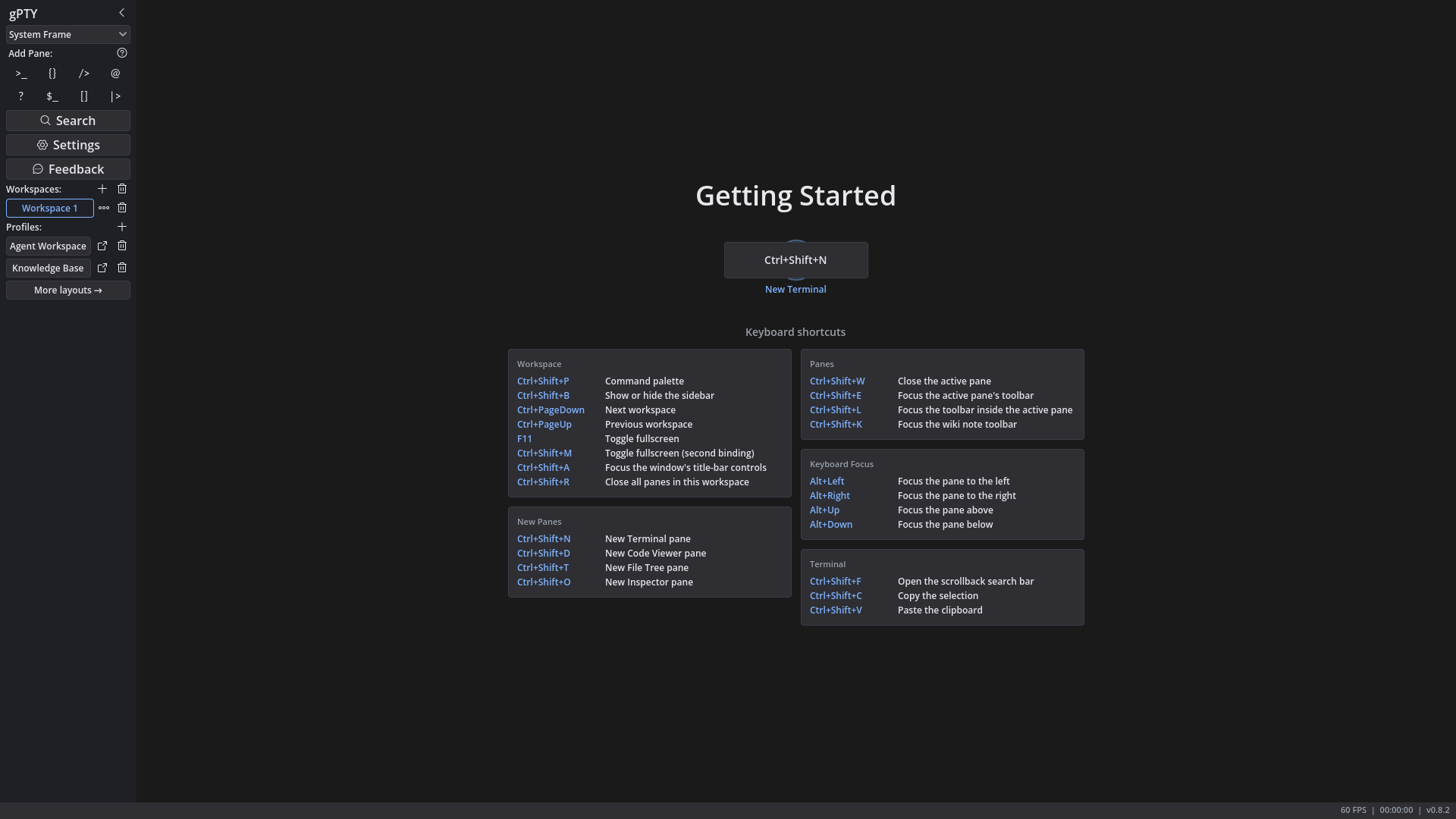
Profiles are yours. Agent Workspace and Knowledge Base used to be hardcoded rows. They are
copied into your profile store once now, so they can be renamed, deleted and replaced like any saved
profile, and a deleted copy stays deleted. Installed plugin profiles gained a trash that asks with the
same check/cross and calls the same uninstall path as gpty plugin uninstall - the store moved into a
shared crate so the two surfaces cannot drift - and saving, renaming or installing into a same-named
profile asks before replacing anything.
The second a switch cost. Three costs stacked up: a switch re-applied settings, appearance, FPS
and window mode; focusing the incoming pane published its whole visible screen as shaped label text
(17,315 characters cost 992 ms in one call); and the first painted frame waited on both. A switch is a
view change now, the accessible content is carried in the name the AT-SPI adapter actually reads, and
an unchanged slot is left in place. Against the reporting store, with btop in both panes: switch
992-1,020 ms → 40.6 ms, first painted frame 1.5-1.6 s → 78 ms.
The rest of the day’s fixes. An emptied workspace no longer restores a terminal; a spawned pane is the active pane; closing a pane focuses the last surviving tile instead of the first one; a dialog clamps to the window it opens in (the running-work list was the longest text and the worst case); and a keystroke into a streaming pane resets the flood back-off, taking key-to-next-grid-change p50 from 15 ms with a 114.8 ms tail to 14.2 ms. The status bar also stops printing the pane’s fetch/draw milliseconds - the FPS reading stays, and the timings join the diagnostics pane planned for v0.9.
Release
- Download the standalone binary from GitHub Releases.
- Full changelog: Changelog.
- Source: github.com/godot-pty/gpty.